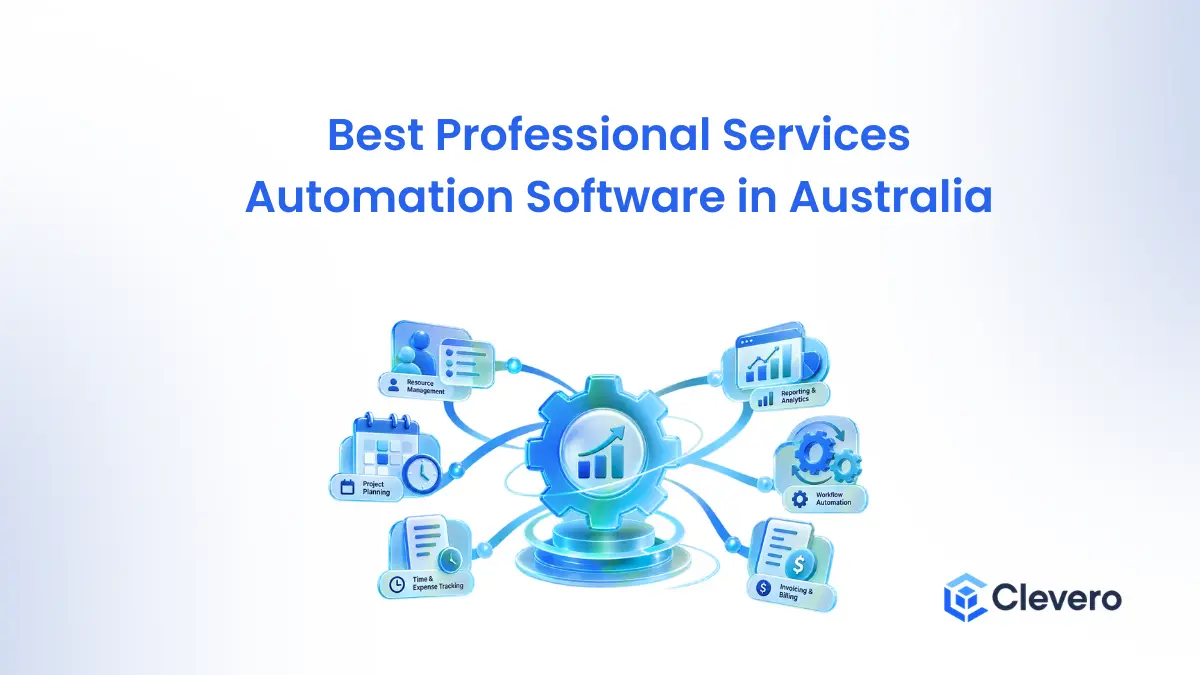
Professional services automation (PSA) software connects the work a firm sells to the money it earns from that work: client records, projects, timesheets, resourcing, invoices and profit. Most Australian firms arrive at it the same way. Time sits in one tool, invoices sit in Xero or MYOB, and the truth about which projects made money sits in someone’s spreadsheet.
This guide compares eight platforms: Clevero, Projectworks, Scoro, Productive, Kantata, BigTime, Accelo and ConnectWise PSA. Seven are built for professional services teams. Clevero is different. It is a configurable operations platform for regulated and operationally complex Australian service businesses, so we say plainly where it belongs on a PSA shortlist and where a specialist will serve you better.
TL;DR: Top 3 Professional Services Automation Software in Australia
Which platform suits you depends on what your firm sells and what your regulator or clients expect of your records. These three cover the most common starting points.
| Feature | Projectworks | Scoro | Clevero |
|---|---|---|---|
| Resource planning and utilisation | Resourcing on every plan, with margin reporting | Resource app with planner, bookings and a utilisation report | Resource scheduling and job profitability are listed; utilisation and WIP reporting are not |
| Time tracking to invoice | Timesheets, expenses, invoicing and forecasting | Timesheets, billable time, invoicing and recurring billing | Timesheets, rate templates and automatic conversion to invoice |
| Xero | Yes, from the Build plan | Listed integration | Yes, native, listed in the Xero App Store since August 2022 |
| MYOB | Listed from the Scale plan | Not listed on the pricing page | Connects; scope is confirmed in the workshop |
| Compliance records and audit trail | Not a stated focus | Not a stated focus | Core focus: records and audit trails captured as staff work |
| Configurable workflows and forms | Custom fields and reports on higher plans | Custom fields, triggers and actions | Configured to your industry during implementation, with a form builder |
| Pricing | Published per user, minimum 10 users | Published from €15 per user per month, minimum 5 users | Custom: implementation plus a monthly subscription |
| Free trial | 21 days | 14 days | No. Discovery call, demo, paid workshop, then implementation |
| Data hosting | Not stated on the pages we checked | Not stated on the pages we checked | Australia, on AWS |
Read along to see my detailed experience with each of the tools, and see if it suits your workflow.
What Is Professional Services Automation (PSA) Software?
PSA software is a single system that runs a service firm from proposal to payment. It holds the client record, plans the work and the people, captures billable time, produces the invoice and reports on profit. Its job is to remove the gap between delivering work and being paid for it, which is where most service firms leak revenue.
Key features of PSA software
- Project and task management: plan work, set milestones and track delivery against budget.
- Resource planning and capacity management: see who is available, who is overloaded and what work is coming.
- Time and expense tracking: capture billable and non-billable hours against the right project.
- Billing, invoicing and project accounting: turn approved time and expenses into invoices, including fixed-fee, retainer and time-and-materials work.
- Client relationship management: keep client records, proposals and history connected to delivery.
- Project profitability and utilisation reporting: compare budget with actuals and see how much of your team’s time is billable.
- Workflow automation and approvals: route timesheets, expenses and documents to the right person without chasing.
8 PSA and Professional Services Management Platforms Reviewed
With this list, its mainly my experience with each of the tools. I hope it will help you make the right decision with this.
1. Clevero: Business Operations and Workflow Automation for Australian Service Businesses
Clevero is a Melbourne-based platform for Australian service businesses, and it is not a traditional PSA. It runs the operation in one system: CRM, project and job management, scheduling, workflow automation, quotes, invoicing and the records regulated businesses have to keep. It is configured to each business during implementation rather than handed over as a generic template.
The features page lists timesheets with rate templates and automatic conversion to invoice, budget and expense tracking, recurring billing, kanban boards, task dependencies, digital forms, e-signature and customer portals. Its Xero App Store listing also names resource scheduling and job profitability. Some features sit in standard solutions and others in premium or custom builds, so confirm scope in discovery.
The Xero integration is documented object by object: invoices, credit notes, payments, quotes, purchase orders and timesheets go from Clevero to Xero, contacts and tracking categories sync both ways, and accounts, tax rates and items come from Xero. Clevero also connects to MYOB, with sync scope confirmed during the workshop. Customer data is hosted in Australia on AWS, and Clevero staff can only access it with your permission.
Pros
- Configured to your workflow, not a fixed template.
- Records and audit trail captured as work happens, which suits regulated service businesses.
- Native Xero sync with a published object list and a 5.0 rating from nine reviews in the Xero App Store.
- CRM, scheduling, forms, e-signature and billing in one system.
- Data hosted in Australia.
Cons
- Not a like-for-like PSA. Utilisation forecasting, WIP reporting and rate-card depth are not listed features, so test them in a demo with your own numbers.
- No free trial and no public pricing. Buying runs through a discovery call, a demo, a paid workshop and then implementation.
- The value comes from configuration and continuous improvement. A firm that wants set-and-forget software will be better served by a simpler tool.
2. Projectworks: PSA Software for Consulting and Engineering Firms
Projectworks is built for consulting, engineering, architecture and software services firms, and it sells on the economics of billable work: time and expenses, resourcing, invoicing, forecasting and margin reporting.
Xero and QuickBooks integrations come with every plan. MYOB accounting, Jira, HubSpot and payroll integrations start on the Scale plan, and Salesforce and Sage Intacct arrive on Unleash. Its CRM and proposals tools are labelled beta on the Unleash plan.
Pricing is published across four plans (Build, Scale, Unleash and a custom Enterprise plan), per user, with a minimum of 10 users billed in bands of five. Monthly plans carry a one-year minimum commitment.
Standard onboarding starts at $1,000, and Projectworks says most firms go live in four to six weeks. It offers a free 21-day trial. Its site lists offices in the US, New Zealand and the UK.
Pros
- Built around consulting economics, with resourcing, forecasting and margin reporting.
- Published pricing and a free trial.
- Xero integration on the lowest plan.
Cons
- 10-user minimum rules out very small teams.
- MYOB integration only from the Scale plan.
- CRM and proposals are still in beta.
- Not designed around compliance workflows, and no Australian office is listed.
3. Scoro: Professional Services Management and Financial Reporting
Scoro describes itself as a PSA platform made of eight apps: Do, Deliver, Track, Resource, Sell, Estimate, Spend and Invoice. You choose the ones you need.
The Resource app includes a planner, bookings, time off and a utilisation report, while WIP reporting, quoted-versus-actual tables and revenue forecasting sit in the Advanced Financials and Advanced Work add-ons. It targets consultancies, agencies, architecture, engineering, IT services and financial advisory firms.
Its pricing page lists Xero, QuickBooks, Sage Intacct, Stripe and Jira among the integrations, and does not list MYOB. Pricing is published from €15 per user per month, with a minimum of five users, and the end-to-end combination is shown at €52.
Annual billing carries a 13 to 17 per cent discount. There is a free 14-day trial and onboarding packages sized by team.
Pros
- Modular, so you pay only for the apps you use.
- Utilisation and WIP reporting available.
- Published pricing, a free trial and onboarding packages.
Cons
- Price climbs as you add apps.
- Five-user minimum.
- WIP and advanced financials are paid add-ons.
- MYOB is not listed on the pricing page.
4. Productive: PSA Software for Creative and Digital Agencies
Productive is a professional services management platform focused on helping agencies manage client projects, budgets, resources and profitability. It brings sales opportunities, project planning, time tracking and financial reporting together to support the operational needs of client-service businesses.
The platform supports project budgeting, resource allocation, workload planning, invoicing and financial forecasting. These capabilities are relevant to agencies managing multiple client engagements, where employee availability, delivery timelines and project margins need to be monitored together.
Productive is particularly applicable to creative and digital agencies that want better visibility into project performance and the financial impact of resource decisions.
Pros
- Low entry price with resource planning included.
- More than 50 report templates.
- Free trial and published pricing.
Cons
- Built mainly around agencies.
- Invoicing integrations start at the Professional plan.
- MYOB is not listed on the page we checked.
- No compliance workflow focus.
5. Kantata: Enterprise PSA and Resource Management
Kantata is a professional services automation platform designed for organisations that need to manage large project portfolios, employee capacity and complex resource allocation requirements.
Its capabilities focus on resource management, capacity planning, project financial management, revenue forecasting and portfolio-level reporting. These functions can help larger firms understand how employee skills and availability align with project demand.
For professional services businesses operating across multiple teams, locations and client engagements, Kantata can provide a centralised view of project delivery and resource requirements. Its suitability will depend on organisational complexity, implementation capacity and the level of financial visibility required.
Pros
- Depth in resource forecasting and financial management.
- Wide connector library and a Salesforce-native option.
- Built for portfolio-level reporting.
Cons
- Quote-only pricing.
- Positioned for larger firms, so likely more than a small practice needs.
- MYOB is not shown on the integrations page.
6. BigTime: Time Tracking, Billing and Project Financials
BigTime is a PSA solution for professional services businesses that need to manage billable time, expenses, project budgets and invoicing.
The platform connects employee timesheets and expense records with project financial management. This helps businesses monitor costs, organise billing workflows and maintain visibility into project performance.
BigTime is particularly relevant to organisations where accurate time recording, billable work and financial reporting play a central role in managing client engagements.
Pros
- Published entry price.
- Strong time capture, approval and invoicing tools.
- Modules let you add resourcing and quoting as you grow.
Cons
- Xero integration only on the Enterprise PSA tier.
- Resource management and quoting are separate modules.
- Listed accounting integrations centre on QuickBooks, Sage Intacct and Lacerte, and MYOB is not listed.
7. Accelo: Client Work and Service Delivery Management
Accelo is a professional services management platform designed to connect client relationships, projects, service delivery, time tracking and billing.
Its functionality spans the customer journey, helping businesses manage CRM activities, project work, recurring retainers and invoicing. Connecting these processes can help service teams maintain continuity between client acquisition, delivery and ongoing account management.
Accelo is relevant to service businesses that manage a combination of projects, ongoing client relationships and recurring service work. Businesses in Australia should confirm the availability and depth of the accounting integrations they require, particularly if they use MYOB.
Pros
- Retainers and fixed-fee projects handled side by side.
- Broad scope from client management to financials.
- Xero integration and an Australian office.
Cons
- No public pricing.
- MYOB is not shown in its integration list.
- No free trial listed on the page checked.
8. ConnectWise PSA: PSA for IT Service Providers and MSPs
ConnectWise PSA is a service management platform designed for IT service providers and managed service providers (MSPs). Unlike general-purpose PSA tools, it focuses on service desk operations, technical support contracts, ticketing and recurring service delivery.
The platform supports ticket management, contracts, billing, time tracking and project management. It also integrates with tools used in IT monitoring and service automation, supporting the operational requirements of businesses that deliver ongoing technical support.
ConnectWise PSA is relevant to MSPs managing service-level agreements, recurring contracts, support tickets and technical projects. Its suitability depends on the size of the IT team, existing systems and the complexity of its service delivery model.
Pros
- Built for MSP workflows such as ticketing, SLAs and recurring contracts.
- Automated recurring billing.
- Integrates with the rest of the ConnectWise platform.
Cons
- Specific to IT service providers.
- No accounting integrations named on the page checked.
- Pricing not published on the page checked.
What to Look for When Choosing PSA Software in Australia
Choosing PSA software involves understanding how it fits into your existing operations, accounting processes, employees’ workflows and long-term business requirements.
Australian businesses should also consider local financial processes, data handling requirements, support availability and the costs associated with implementation.
1. Xero, MYOB and accounting integrations
Ask whether the integration is native or runs through a third-party connector, whether it is one-way or two-way, and exactly which records move. The records that matter most are:
- Invoices and payments: does a payment in Xero or MYOB update the invoice and job status in the PSA?
- Expenses and bills: do supplier bills and purchase orders flow through?
- Timesheets: do approved hours reach payroll or accounting?
- Tax and GST-related fields: are tax rates and codes pulled from your accounting file?
- Customer and supplier records: are contacts created once and kept in step?
Of the eight platforms here, only Projectworks and Clevero named MYOB on the pages we checked. Others may support MYOB through a third-party connector, so ask. Xero publishes a disclaimer that it cannot guarantee the performance or suitability of any app in its store, so test the integration with your own file before you commit.
2. GST, BAS and financial workflows
The ATO’s GST guidance covers when to charge GST, what a tax invoice must include and how to report through a BAS. Ask each vendor to show you a GST tax invoice produced from a real job, and to explain what happens to GST codes when the invoice syncs to your accounting software. Your accounting platform still prepares the BAS. Be wary of any claim that a PSA is compliant with every Australian tax or reporting obligation without evidence for your situation.
3. Australian data hosting and privacy
These are four separate questions: where data is stored, how it is secured, what your privacy obligations are under the Australian Privacy Principles, and what the contract says. Ask each vendor where your data is hosted, who its subprocessors are, who can access your data and when, how long data is retained, and whether you can export everything and have it deleted when you leave. The product and pricing pages we checked for the other seven platforms did not state a hosting location, so ask. Clevero hosts customer data in Australia on AWS, does not access it by default, lets you export it before you leave and deletes it afterwards.
4. Resource utilisation and project profitability
If you sell hours, you need to see capacity, billable utilisation, project budgets, work in progress and margin forecasts. Capacity planning shows whether you can take on the next project. Utilisation shows how much of your team’s time is billable. WIP shows work delivered but not yet invoiced. PSA specialists such as Projectworks, Scoro, Kantata and BigTime treat these as core. A broader operations platform may cover only part, so list the reports you rely on and ask to see each one built.
5. Workflow automation and compliance
Automating approvals, record-keeping, document collection, client onboarding and recurring tasks removes the follow-ups that slow a service business. For regulated businesses it also produces the record you need when someone asks for it. Employers, for example, have to keep time and wages records for seven years, and a system that captures time and approvals as work happens makes that easier to meet. No software makes a firm compliant by itself, so test the workflow against your own obligations.
6. Implementation, onboarding and total cost
Budget for the subscription, onboarding, data migration, training, integrations, customisation and ongoing support. Projectworks lists standard onboarding from $1,000, Scoro sizes onboarding packages by team, and Clevero scopes implementation through a paid workshop and offers data migration assistance. A free trial shows you the software. A workshop maps your processes. Both have a place, but be clear which one you are buying.
Traditional PSA Software vs Business Operations Platforms
Traditional PSA platforms emphasise resource utilisation, billable hours, project financials and forecasting. Broader business operations platforms tend to prioritise client management, workflow automation, scheduling and compliance. Neither is better in the abstract. The right one depends on what your firm needs to see and prove.
| Requirement | Traditional PSA | Broader business operations platform |
|---|---|---|
| Project management | Core capability | Common capability |
| Resource forecasting | Often advanced | Depends on platform |
| Billable utilisation | Common focus | Must be verified |
| Project profitability | Often advanced | Depends on reporting capabilities |
| CRM | Varies | Often included |
| Workflow automation | Varies | Often a key capability |
| Compliance workflows | Varies | May be configurable |
| Accounting integrations | Varies | Depends on platform |
Where Clevero fits
Clevero covers client management, project and job tracking, scheduling, time to invoice, native Xero sync, digital forms and e-signature, and records and audit trails captured as staff work. Resource forecasting, billable utilisation and WIP reporting are not features it lists, so treat them as things to verify against your own reports before you commit.
It suits three situations. The first is a regulated or operationally complex service business, such as a clinic, a community organisation or an advisory practice, where records, approvals, scheduling and billing have to work together. The second is a firm that has outgrown spreadsheets and disconnected tools and wants the system shaped around its own workflow. The third is not Clevero at all: if you sell hours and live by utilisation and margin, shortlist a PSA specialist first.
Two customers describe what implementation looked like, in their own words. Neither is a PSA-style firm. Rod Janover, CEO of Hellomello, estimates the team saves about 20 hours of admin a week and says integrating a third-party tool through Clevero helped cover clinical governance. Read the Hellomello case study. The CEO of claims management company Claimo says the team expected a 12-week transition, finished in six, and saw a return on investment in the first month. Read the Claimo case study.
How to Choose the Right PSA Software for Your Business
These are suggested shortlists based on common requirements, not rankings or guarantees of suitability.
| Business type | Requirements to prioritise | Platforms to investigate |
|---|---|---|
| Consulting firms | Resource planning, project profitability, timesheets | Projectworks, Scoro, Kantata |
| Creative agencies | Client management, budgets, workload planning | Productive, Scoro |
| Engineering and architecture | Project costing, resource allocation, accounting | Projectworks, Drum, Total Synergy (Drum and Total Synergy are Australian-built and not reviewed here) |
| IT service providers | Ticketing, service contracts, recurring billing | ConnectWise PSA |
| Compliance-heavy service businesses | Configurable workflows, records, scheduling | Clevero |
| ERP-centric businesses | Financial integration, job costing, payroll | An ERP with project accounting, such as MYOB Acumatica (not reviewed here) |
Questions to ask before purchasing
- Does the software support our existing project and billing workflows?
- Can it integrate with our current accounting platform, and which records sync in which direction?
- Does it support our resource planning requirements?
- Which features need additional licences or paid add-ons?
- How long will implementation take, and who does the work?
- Can we migrate our existing client and financial data?
- Where is our data hosted, and who can access it?
- What support and training are available in Australia?
- Can we test the system with a real business workflow before committing?
Frequently Asked Questions
What is the best professional services automation software in Australia?
There is no single best platform. It depends on firm size, industry, how much resource planning you need, which accounting software you run and how operationally complex your business is. Projectworks and Scoro are built around consulting economics. Kantata suits larger firms, Productive suits agencies and ConnectWise PSA suits MSPs. Clevero suits regulated or operationally complex service businesses that need records, scheduling and billing in one configurable system.
What is the difference between PSA software and project management software?
Project management software organises tasks, timelines and deliverables. PSA software connects that work to time tracking, resourcing, billing and profitability, so you can see whether a project made money as well as whether it finished on time.
Is there free professional services automation software in Australia?
None of the eight platforms here offers a permanent free plan on the pages we checked. Projectworks offers a 21-day free trial, and Scoro and Productive offer 14-day trials. A free trial is not a free plan, so check user limits, data export and accounting sync before you build anything on a no-cost option. Clevero has no free trial: the process is a discovery call, a demo, a paid workshop and then implementation.
Which PSA software integrates with Xero in Australia?
Projectworks lists Xero on every plan. Scoro, Productive, Kantata and Accelo list Xero among their integrations. BigTime lists Xero only with BigTime Enterprise PSA. Clevero has a native Xero integration listed in the Xero App Store since August 2022. In every case, ask which records sync and in which direction, and test with your own Xero file.
Is PSA software suitable for small businesses?
Yes, if disconnected tools are costing you billable time, but watch the minimums. Projectworks requires 10 users, Scoro five and Productive three. Accelo, Kantata and Clevero price by conversation. Smaller firms should weigh subscription cost against onboarding and the time it takes to configure the system.
What is the difference between PSA and ERP software?
PSA software is built for service delivery: projects, time, resourcing, billing and profitability. ERP software runs the whole organisation, including finance, procurement and other enterprise functions. Firms of 10 to 100 people rarely need the weight of an ERP, and larger firms sometimes run both.
Can PSA software manage compliance and audit trails?
Some can. Approvals and record-keeping exist in several PSA tools. Audit trails and compliance workflows are the core focus of Clevero and a secondary feature elsewhere. No software makes a firm compliant by itself, so check your obligations with your regulator or adviser and test the workflow in a demo.
What are the alternatives to Accelo in Australia?
Projectworks, Scoro and Productive are the closest PSA alternatives on the pages we checked, and all three publish per-user pricing. Clevero is a different kind of alternative: choose it if your priority is configurable workflows, scheduling and compliance records rather than utilisation forecasting.
Find the Right Professional Services Software for Your Business
The right platform depends on how your business manages client relationships, projects, people, money and obligations. PSA specialists are strongest when your firm lives by utilisation and margin. Business operations platforms are strongest when the same system has to run the work and hold the record of it.
Whichever way you lean, validate your shortlist with current pricing, a demo and an integration test using your own Xero or MYOB file. If you run an Australian service business where records, scheduling, billing and compliance have to work together, talk to us about your operation. Our process is a discovery call, a demo, a paid workshop and then implementation.